
I assess mobile casino platforms for Australian players regularly, and I know firsthand that simple download instructions prevent a lot of issues australiaastromania.com. The Astromania Casino app is complimentary to download for compatible Android and iOS devices. It gives you a straightforward way to get to games, promotions, and account tools straight from your phone or tablet. This article details the installation process for each operating system, details the main app features, and details the device compatibility checks you should perform before you commence. I also address security controls, responsible gambling options, and common troubleshooting steps. My goal is a relaxed, hands-on overview so you can download the app without hesitating. Read the compatibility notes initially. Most installation problems I come across stem from outdated operating systems or wrong device settings. This guidance is based on my own testing and review process.
Krokem Instalace appky Astromania Casino pro Android
Kompatibilita s Androidem a podmínky
Uživatelé Androidu mají nejprve zkontrolovat, zda jejich přístroj pracuje na podporovanou variantou operačního systému. Appka Astromania Casino pracuje nejspolehlivěji s Androidem 8.0 či pozdějším, a doporučuji disponovat minimálně 100 MB prázdného úložiště před začnete. Velikost souboru je malá, avšak provizorní data instalace mohou zaujmout extra prostor. Spolehlivé Wi-Fi nebo mobilní datové připojení je také důležité, obzvláště pokud stahujete aplikaci rovnou ze webu Astromania namísto obchodu. Aplikace se nemusí objevit v každém regionálním obchodě, takže rovné stahování je obvyklou cestou pro australské hráče. Rovněž doporučuji zkontrolovat, zda tvůj telefon či tablet má dostatečnou pamětí RAM a aktuální bezpečnostní aktualizaci. Toto zajišťuje plynulejší výkon a snižuje chyby instalace. Tyto prověrky trvají přibližně minutu a mohou vyhnout ti zdlouhavé řešení problémů poté.
Krok za postupu Instalace na Android
Umožnění instalací ze neprověřených zdrojů
Poté co ověříte kompatibilitu, spusťte web Astromania na svém přístroji s Androidem a najděte link na stažení appky. Stahujte file pouze z oficiální stránky, abyste se vyhnuli pozměněným verzím. Jakmile je file stažen, klepněte na notifikaci či otevřete adresář stažených souborů a zvolte soubor APK. Vaše zařízení může zamezit instalaci a vyžádat o oprávnění nainstalovat z neprověřených zdrojů. Chcete-li toto povolit, jděte do Nastavení, zvolte Security nebo Aplikace, a umožněte instalace ze prohlížeče či file manageru, který jste použili. Doporučuji toto povolení po instalaci appky znovu deaktivovat, pokud dáváte přednost pevnější zabezpečení. Instalační program vás poté naveden rychlým nastavením. Až skončí, ikonka Astromania se zobrazí na tvé ploše, a můžete se přihlásit nebo registrovat rovnou. Neplatíš žádný fee během tohoto postupu.
5th Application Security and Safe Gambling Controls
Profile Protection and Responsible Gaming Tools

I view account security as a mutual responsibility between the casino and the player. The Astromania app utilizes encryption to safeguard login details and transaction data, and I suggest turning on any two-factor authentication option that is available in your account settings. Employ a unique password and avoid saving it on shared devices. On the responsible gambling side, the mobile app offers tools that let you configure deposit limits, session reminders, and time-out periods right from your phone. These controls are simplest to use when you establish them just after registration rather than delaying for a problem to surface. Self-exclusion options are also accessible through the account menu or customer support. If you require help, contact the support team from the app, and they can describe how the safer-play features pertain to your account.
Step 2: Getting the Astromania Casino App on iOS
iOS Device Installation
For iPhone and iPad users, I recommend checking the official Astromania site first, since the availability of a native iOS app can shift with regional store policies. Usually, Australian players can download a free app directly from the App Store by brows for Astromania Casino and selecting the official result. If a native app is not accessible in your region right now, the site often has a mobile web app or home-screen shortcut that offers a similar experience. Before setting up, make sure your device runs iOS 12 or later and has at least 100 MB of free space. Tap the install or share button, follow the on-screen prompts, and authorize the download with Face ID, Touch ID, or your Apple ID password. The icon then lands on your home screen.
4. Hardware Compatibility and Speed
Compatible Operating Systems and Equipment
In my assessment, smooth performance depends more on available memory and background activity than on owning the newest phone. The app is compatible with Android 8.0 and higher, and iOS 12 and higher, though later versions often load games faster. I recommend using a device with at least 2 GB of RAM for Android and an iPhone 7 or newer for a comfortable experience. Screen size is flexible, but a display of at least five inches makes live dealer tables and game controls easier to handle. Before playing, shut down unused apps and deactivate battery-saver modes that may limit background data or reduce screen refresh. A stable 4G or Wi-Fi connection is sufficient for most games, but live dealer tables benefit from a stronger signal. Storage use remains modest after installation, though game updates may occasionally ask for additional space.
App Features and Game Library for Mobile
Slot Machines, Casino Table Games, and Live Casino Access
From a gamer’s perspective, the Astromania Casino app is designed around fast navigation and a broad game selection. I consider the layout simple: the main menu gives you quick access to pokies, table games, and live dealer rooms. The pokies section contains standard, video, and jackpot titles, with filters that allow you sort by theme or provider. Table game players can open blackjack, roulette, baccarat, and poker variants without loading a separate page. Live dealer tables broadcast in real time, and the app adapts the video feed well on smaller screens. I also like the search tool, which reduces time when you are certain which game you desire. Promotions and bonuses are accessible from the same dashboard, so you can view offers without closing the app. Account tools, deposit options, and transaction history are positioned behind clear icons.
6. Resolving Common Astromania App Problems
Installing, Upgrades, and Speed Adjustments
The most frequent issues I hear about are blocked installations, slow loading, and login errors. If an Android APK will not install, first check that the unknown sources permission is enabled for marca.com the app you employed to download it. If the app opens but games load slowly, clear the app cache in your device settings and verify your operating system is up to date. For iOS users, a home-screen shortcut may need to be re-added after clearing browser data. Login errors are often resolved by verifying your internet connection, updating the app, or renewing your password through the official site. If a game hangs, close the app fully and restart it before contacting support. I suggest maintaining a record of your device model and operating system version when reporting issues, because this aids the support team diagnose the problem quickly.
FAQ
Is the Astromania Casino app truly free to download?
Indeed. The download is complimentary for Android and iOS devices, and you do not need to pay any fee to get the installation file or the app itself. Stick to the official Astromania website or an official store link. If a third-party source asks for payment, stay away from it and report it.
Is an Australian casino account required before downloading?
You are able to download and launch the app without an account, but to play real-money games or claim promotions you must register. Registration requires basic personal details and verification documents later. I advise having identification ready before you register so the process proceeds smoothly.
Is the app usable on both Android and iOS?
Yes, the app is built for both major operating systems. Android users may need to install an APK from the official site, while iOS users are often able to download from the App Store or utilize a mobile web shortcut. The core features and game library remain similar across devices.
What devices are compatible with the Astromania Casino app?
Typically, Android 8.0 or higher and iOS 12 or higher are supported. I advise at least 2 GB of RAM and 100 MB of free storage. Older models might operate, but performance is improved on devices with more memory and a current operating system.
Why does the app not install on my Android phone?
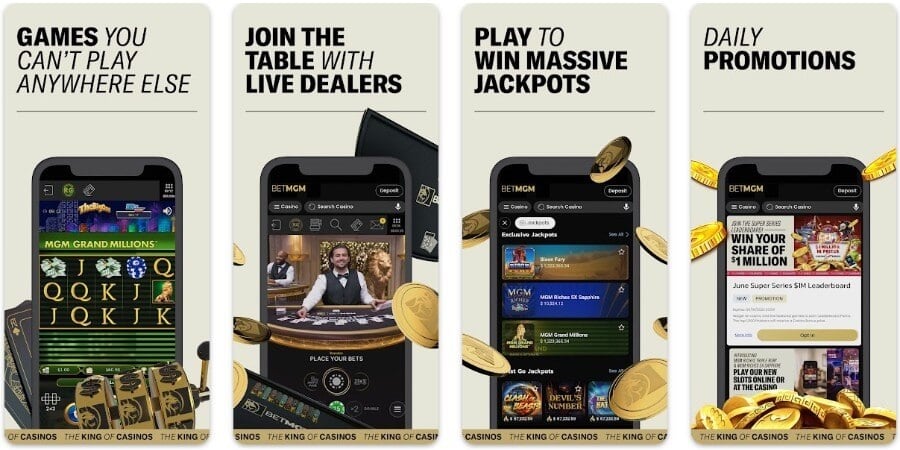
The most likely reason is that your device is stopping installations from unknown sources. Go to Settings, find Security or Apps, and enable the browser or file manager to install APK files. You may also need to clear storage space or fetch the file again from the official page.
How do I update the Astromania Casino app?
On iOS, updates typically appear in the App Store under your account. On Android, you may have to download the latest APK from the official Astromania website and set it up over the existing version. Always use the official source to steer clear of outdated or unsafe files.
Is the mobile app safe for playing with real money?
The app employs encryption to secure personal and payment data, and I suggest enabling two-factor authentication if present. Safe play also hinges on your own habits. Use the in-app deposit limits, time-out tools, and self-exclusion options. If you encounter concerns, contact the support team directly through the app.